Badges & Achievements
Mellowe allows organizations to create and award custom recognition badges to celebrate achievements, milestones, and outstanding teamwork.
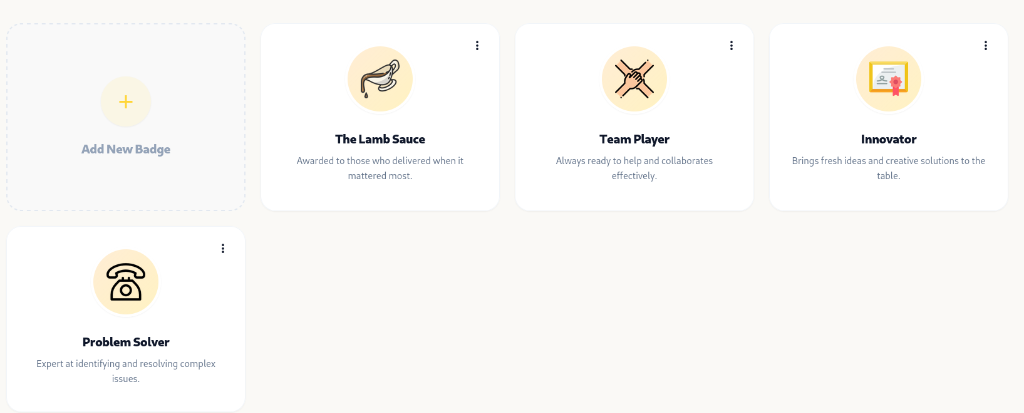
Custom Badges Overview
Section titled “Custom Badges Overview”Badges are visual awards assigned to team members when recognizing their hard work. Mellowe comes pre-installed with default starter badges (The Lamb Sauce, Team Player, Innovator, Problem Solver), and admins can add unlimited custom badges.
Creating & Editing Badges (Admin Guide)
Section titled “Creating & Editing Badges (Admin Guide)”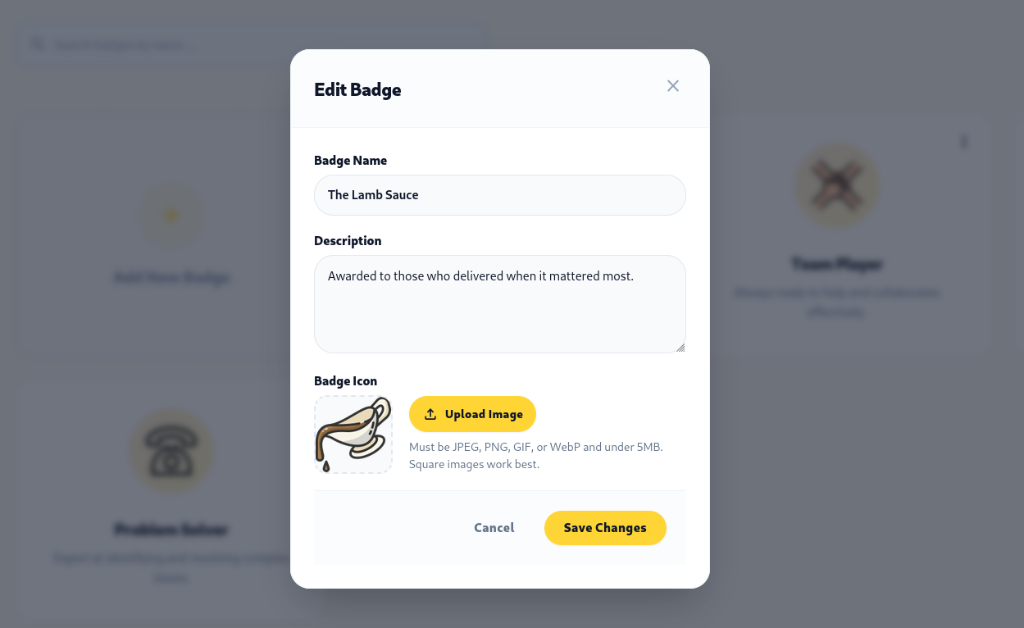
- Log into the Mellowe Admin Dashboard.
- Go to Badges > Manage Badges.
- Click Add New Badge or edit an existing badge.
- Input the required badge properties:
- Badge Name: (e.g., The Lamb Sauce, Innovator, Problem Solver).
- Description: A short description explaining what the badge celebrates.
- Badge Icon: Upload an image file (JPEG, PNG, GIF, or WebP under 5MB).
- Click Save Changes.
Awarding Badges in Slack (/mellowe badge)
Section titled “Awarding Badges in Slack (/mellowe badge)”To giveaway a badge in Slack, use the /mellowe badge command.
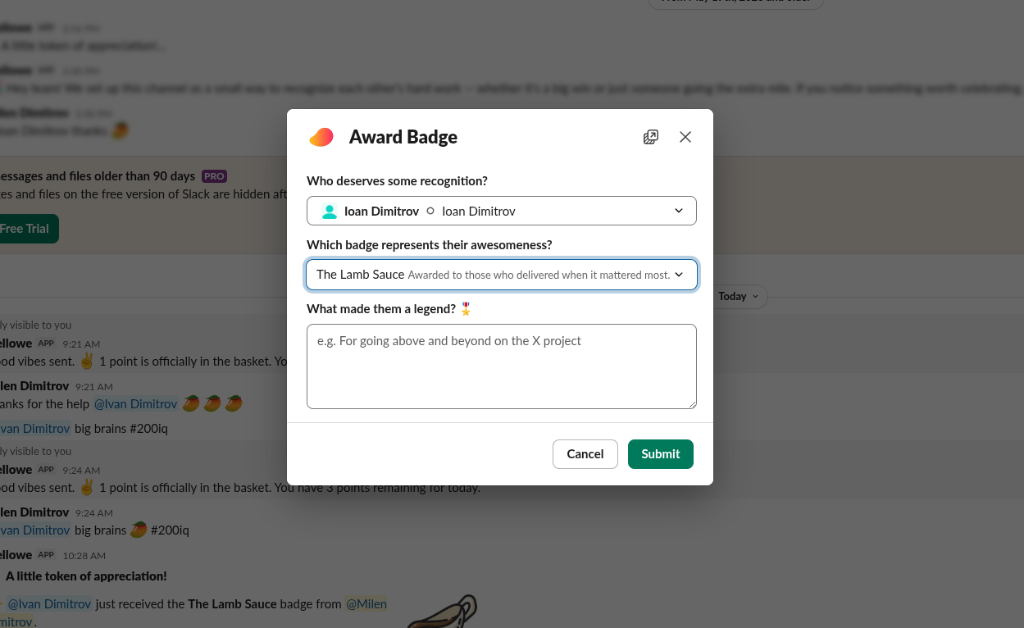
- Type
/mellowe badgein Slack. - Select the recipient under Who deserves some recognition?.
- Pick the badge under Which badge represents their awesomeness?.
- Type your message in What made them a legend?.
- Click Submit to broadcast the badge award!
Viewing Badge Collections & Personal Showcase
Section titled “Viewing Badge Collections & Personal Showcase”Badges in Mellowe are designed as meaningful, personal milestones—a digital trophy case on your own profile:
- Personal Profile Showcase: Every employee has a Badge Showcase on their Mellowe profile displaying the badges and moments of appreciation they have earned.
- No Global Badge Rankings: Unlike platforms that turn badges into an Olympic medal table or stack-ranked leaderboard, Mellowe does not rank employees by badge count. Badges celebrate genuine craft and dedication in the moment, preserving authentic appreciation.
- Celebrated on the Wall of Impact: Whenever a badge is awarded, it is pinned directly to the Wall of Impact for the entire team to appreciate.