
Navigating Mellow Market
Mellow Market is your workspace’s central hub for redeeming earned mangos for company perks, rewards, and experiences.
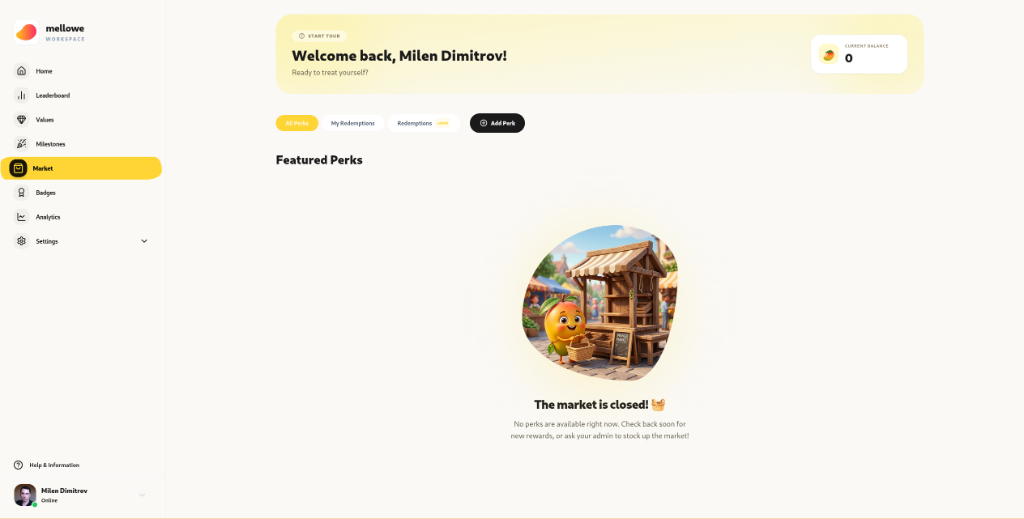
Market Interface Overview
Section titled “Market Interface Overview”1. Current Balance Widget
Section titled “1. Current Balance Widget”Located at the top right of the market banner, your Current Balance widget displays your real-time mango points available for spending (e.g. 🥭 0).
2. Navigation Tabs
Section titled “2. Navigation Tabs”- All Perks: View and browse all active reward catalog items.
- My Redemptions: Review your past claimed rewards, voucher codes, and delivery status.
- Redemptions (ADMIN): Workspace Admins can monitor and approve member reward claims across the organization.
- + Add Perk: Quick admin button to launch the Create New Perk modal.
3. Market Status & Empty State
Section titled “3. Market Status & Empty State”If no perks are currently stocked, Mellow Market displays an illustrative status:
“The market is closed! 🧺 No perks are available right now. Check back soon for new rewards, or ask your admin to stock up the market!”
Creating a New Perk (Admin Guide)
Section titled “Creating a New Perk (Admin Guide)”Admins can click + Add Perk to launch the creation modal and add new rewards to the market.
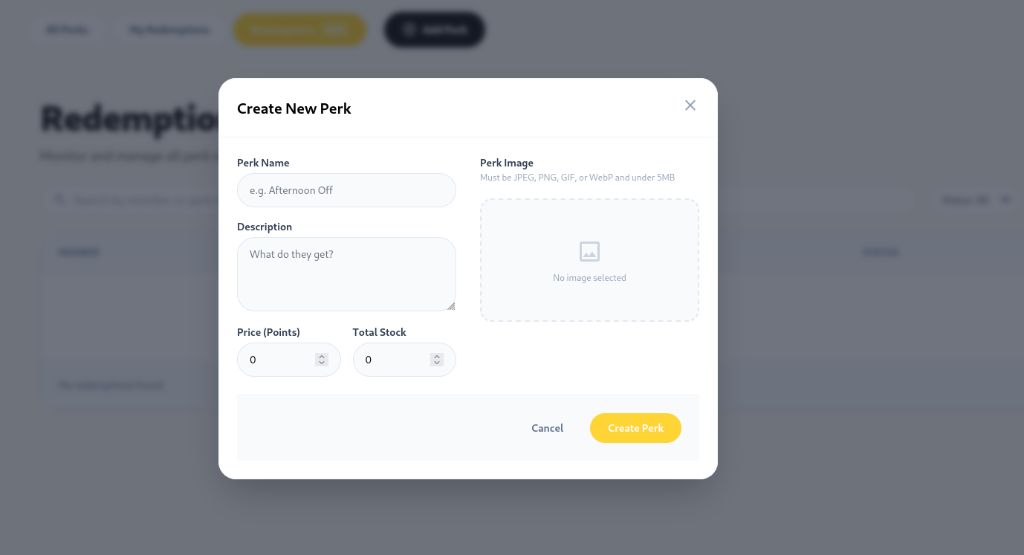
Configurable Perk Fields:
Section titled “Configurable Perk Fields:”- Perk Name: Enter the title of the reward (e.g. Afternoon Off, $25 Gift Card).
- Description: Explain what the recipient receives and how to redeem it (e.g. Take Friday afternoon off after project completion).
- Price (Points): Set the mango point cost required to redeem the perk.
- Total Stock: Set the maximum available inventory quantity.
- Perk Image: Upload a visual image (JPEG, PNG, GIF, or WebP under 5MB).
- Click Create Perk.